> For the complete documentation index, see [llms.txt](https://docs.norrnext.com/norrcompetition/llms.txt). Markdown versions of documentation pages are available by appending `.md` to page URLs; this page is available as [Markdown](https://docs.norrnext.com/norrcompetition/comments/integration-with-komento.md).
# Integration with Komento
To integrate Komento comments you first need to enable integration in Komento component.
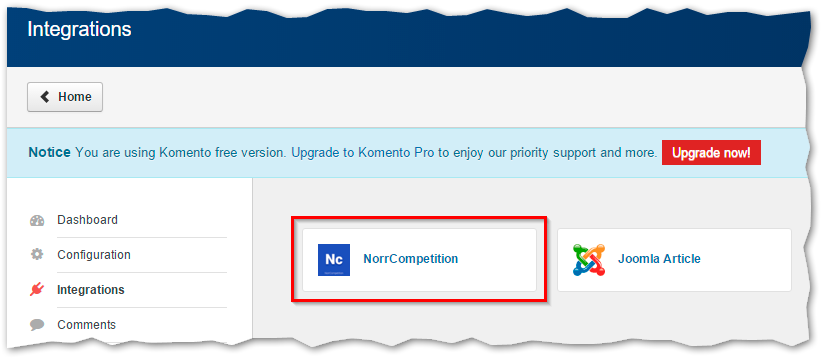
Open *Control Panel > Components > Komento > Integrations*. You will see NorrCompetition in the list of available integrations.
Komento integration - NorrCompetition option
Note if you install Komento after NorrCompetition you should manually copy the file */integration/komento/com\_competition.php* from NorrCompetition installation package to */components/com\_komento/komento\_plugins*.
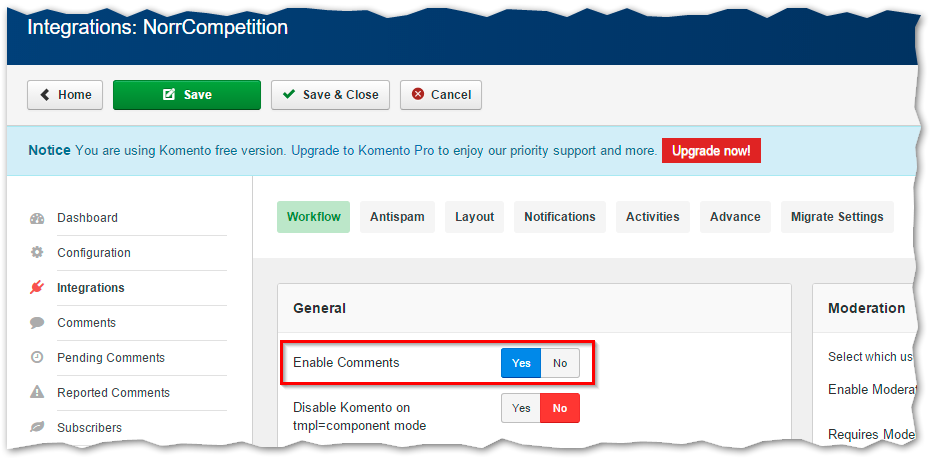
Click on NorrCompetition and "Integrations: NorrCompetition" section will open.
Komento integration - enable comments
Here you should set "Enable Comments" to *Yes* (in "Workflow" tab). You can set up other options if you want. Click "Save and Close".
Next open *Components > NorrCompetition > Options*, select "Comments" tab and in the "Comments" parameter select *Komento*. In "Comments Ordering" add number *6* to the list. Save options.
Now you have Komento comments on the entry page.